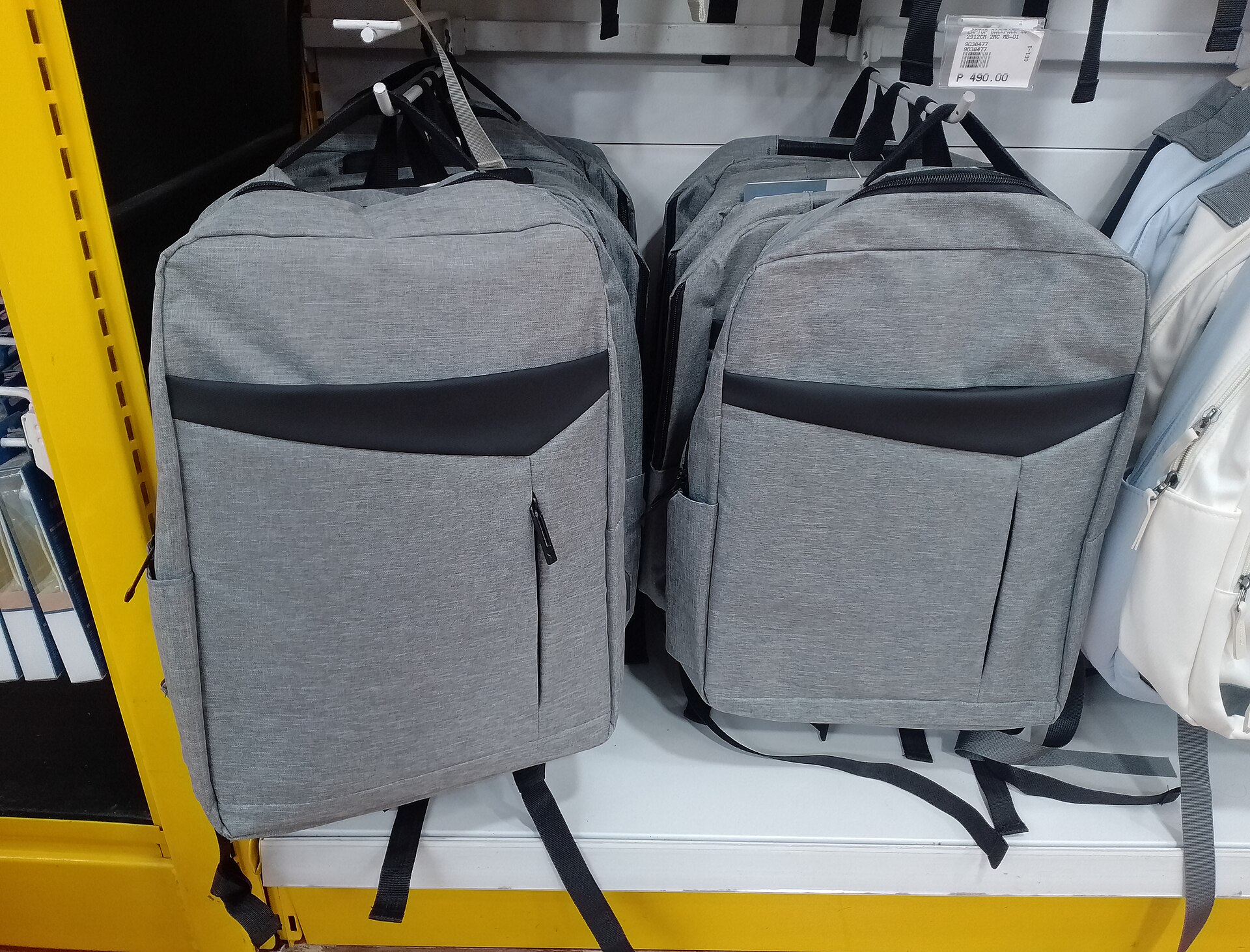
A practical work backpack for travel has a padded laptop sleeve, useful cable organization, a shape that fits your airline's cabin rules and enough room for the work kit you actually carry. Slim office bags suit commuters, larger travel bags suit multi-day trips, and hybrids bridge the two.
Check the size and weight limits of the airline that operates your flight before you buy. Carry-on and under-seat limits vary by carrier, aircraft and fare, so the same bag can pass on one airline and be questioned on another. IATA publishes cabin baggage guidance, and the airline's own page is the final word.
For broader picks, see our best travel backpacks hub.
Office, travel or hybrid: the decision table
| Criterion | Office backpack | Travel backpack | Hybrid |
|---|---|---|---|
| Laptop protection | Dedicated padded sleeve, often a separate compartment | Sleeve varies; some bags have none | Padded sleeve plus a larger main compartment |
| Organization | Pockets for chargers, notebooks, pens | Fewer small pockets, more open packing space | Pockets up front, packing space behind |
| Capacity | smaller, day loads | larger, multi-day loads with compression | mid-sized, a day load plus one or two days of clothes |
| Opening style | Top or front access | Clamshell, suitcase-style | Clamshell or wide front panel |
| Commute comfort | Slim profile, good on trains and buses | Can feel bulky in crowds | Moderate profile |
| Weather exposure | Look for a weather-resistant fabric and a water-resistant coating | Look for a weather-resistant fabric and covered zips | Look for a weather-resistant fabric and covered zips |
| Cabin fit | Usually fits under the seat at your airline's stated dimensions or smaller | Often at the your airline's stated dimensions carry-on limit; fills the overhead bin | Fits under the seat at 24–26L; measure when packed |
| Security access | Laptop often comes out in seconds | Depends on layout; clamshell with a separate sleeve is fastest | Depends on layout; look for a side or top laptop entry |
Use the table as a checklist. Measure the product page's dimensions against your airline's limits, then compare the laptop compartment to your actual laptop.
Fit by use case
The daily commuter who flies a few times a year
An office backpack of 20–24L with a padded laptop sleeve covers most weeks. Look for a slim profile, a back panel that stays comfortable under a full day's load and a compartment that keeps cables apart from the laptop. On trips, it works as your personal item. Our personal-item backpack size guide explains how to check that fit.
The remote worker who changes cities
If you move every few weeks, a 28–35L hybrid or travel backpack with a clamshell opening makes repacking quick. Choose a laptop compartment that sits against the back panel so the weight stays close to your spine. Our remote work travel page covers the wider setup around the bag.
The carry-on-only traveler
If the backpack is your main bag, compare it to the carry-on backpacks options and check the airline's limits for both size and weight. A a larger bag bag with a 16-inch laptop, chargers and a few days of clothes can reach your airline's weight limit and break a your airline's weight limit, so weigh it loaded before the trip.
The three-day trip with a laptop
A mid-sized hybrid holds a 14- to 16-inch laptop, three days of clothes and chargers. Our 3-day one-bag packing list shows what a compact load looks like.
The traveler in rain or humid climates
Look for a weather-resistant fabric, a covered zip and a rain cover and a laptop compartment behind a protected panel. A rain cover or a dry bag liner covers the gaps that no zipper seals fully.
Laptop protection: what to look for
- A dedicated compartment. The laptop should sit in its own padded space, apart from keys, bottles and chargers.
- A suspended or raised base. Bags that raise the laptop off the base protect better when you drop the pack on the ground.
- A snug fit. A 16-inch sleeve will let a 13-inch laptop slide around. Match the stated laptop size to your model, within one size.
- Quick access. TSA's laptop guidance explains how laptops are handled at US checkpoints, and procedures can differ by lane and airport. A bag that lets you remove the laptop in seconds saves time either way.
Liquids and security
A work bag often carries a water bottle, hand sanitizer and a few toiletries. The EU's security rules for air travellers cover the liquids limits at EU airports, and screening equipment varies by airport, so check the airport's page before you fly. A pouch near the top of the bag keeps liquids easy to pull out.
Packing checklist for a work backpack
- Laptop in its padded compartment, powered off
- Charger and power adapter in one pouch
- Mouse, headphones and cables in a small organizer
- Passport and boarding pass in an outer pocket
- Liquids in a clear pouch at the top
- Empty water bottle, filled after security
- Rain cover or dry bag liner
- Power bank in the cabin bag
- One change of clothes for delays
- Airline's size and weight limits saved on your phone
Quick rules for choosing
- Start with the laptop. Pick a bag whose compartment matches your laptop's size.
- Check the airline's cabin limits for the carrier you fly most.
- Load the bag with your real gear and carry it for 20 minutes.
- Decide whether the bag is your personal item, your carry-on or both.
- Compare it to the picks in our best travel backpacks hub.
FAQ
What is a good work backpack baseline for travel?
A mid-sized clamshell hybrid with a padded, suspended sleeve sized for your laptop is a useful baseline. It fits under most seats when packed light, holds a laptop plus one to three days of clothes and works as a daily commuter. Go down to an office backpack if you mostly commute and fly rarely. Go up to a larger travel backpack if you travel carry-on only for a week or more, and keep the loaded weight under your airline's weight limit.
Can a work backpack count as a personal item?
Often yes, if it fits the dimensions your airline allows under the seat, within your airline's under-seat dimensions. Airlines set their own limits, so check the operating carrier. Our personal-item backpack size guide walks through how to measure.
Do I have to take my laptop out at airport security?
It depends on the airport and lane. TSA's laptop guidance describes the US rules, and other airports have their own procedures. Follow the signs and officers' instructions, and pick a bag that makes removal quick.
Is an office backpack enough for a flight?
For a short trip, yes, if it fits the airline's under-seat limits and holds your essentials. For several days of clothes plus a laptop, a larger hybrid or travel backpack gives you more room.
How do I protect a laptop from rain and drops?
Use a bag with a padded, dedicated laptop compartment raised off the base, and keep the laptop in a snug sleeve. For rain, look for a weather-resistant fabric and covered zips, and add a rain cover or dry liner on wet days.
Source and review note
Reviewed 2026-11-26 by the Think Travel Lift Grow editorial team. Guidance on cabin baggage, laptop screening and liquids comes from the IATA, TSA and European Commission pages linked above. Airline and airport rules change, so check the carrier's page the week you fly.
Featured photo: Laptop backpacks at Ayala Center Cebu, CC BY 4.0, via Wikimedia Commons.